
Educate · Simulate · Fortify
Train the people attackers target first.
PhishFactory sends realistic, harmless phishing emails to your staff, records who opens, clicks, enters data or reports them, and turns the results into a report your management can read.
- Built and operated by Auxilium Cyber Security in Ettlingen, Germany
- Passwords typed into capture forms are never stored
- English and German interface
Campaign report · example data
Company-wide OneDrive test
- Click rate
- 23%
- 94 of 412
- Submitted
- 9%
- 37 entered data
- Reported
- 31%
- 128 via Outlook
Shares of 412 sent mails, as in the portal's report
Reporting
See who clicks and who reports, as it happens.
Every reaction shows up in the campaign straight away: opened, clicked, data entered or reported. Each outcome keeps its colour in the dashboard, the campaign report and the PDF export.
- Sent
Delivered from a look-alike domain with valid TLS.
Baseline
- Opened
Opened in a mail client. Counted separately, because blocked images hide opens.
Exposure
- Clicked
Followed the link to the landing page.
Compromise path
- Submitted
Entered data into a capture form. Only the event is recorded.
Credential loss
- Reported
Flagged with the Outlook report button. The outcome you want to grow.
Human sensor
How it works
Six building blocks. Set each up once, reuse it in every campaign.
A campaign picks the template, landing page and group it needs and schedules the send. Nothing goes out until you press Start.
- 01ADMIN
Domain
A look-alike sending domain, provisioned with TLS.
- 02
Template
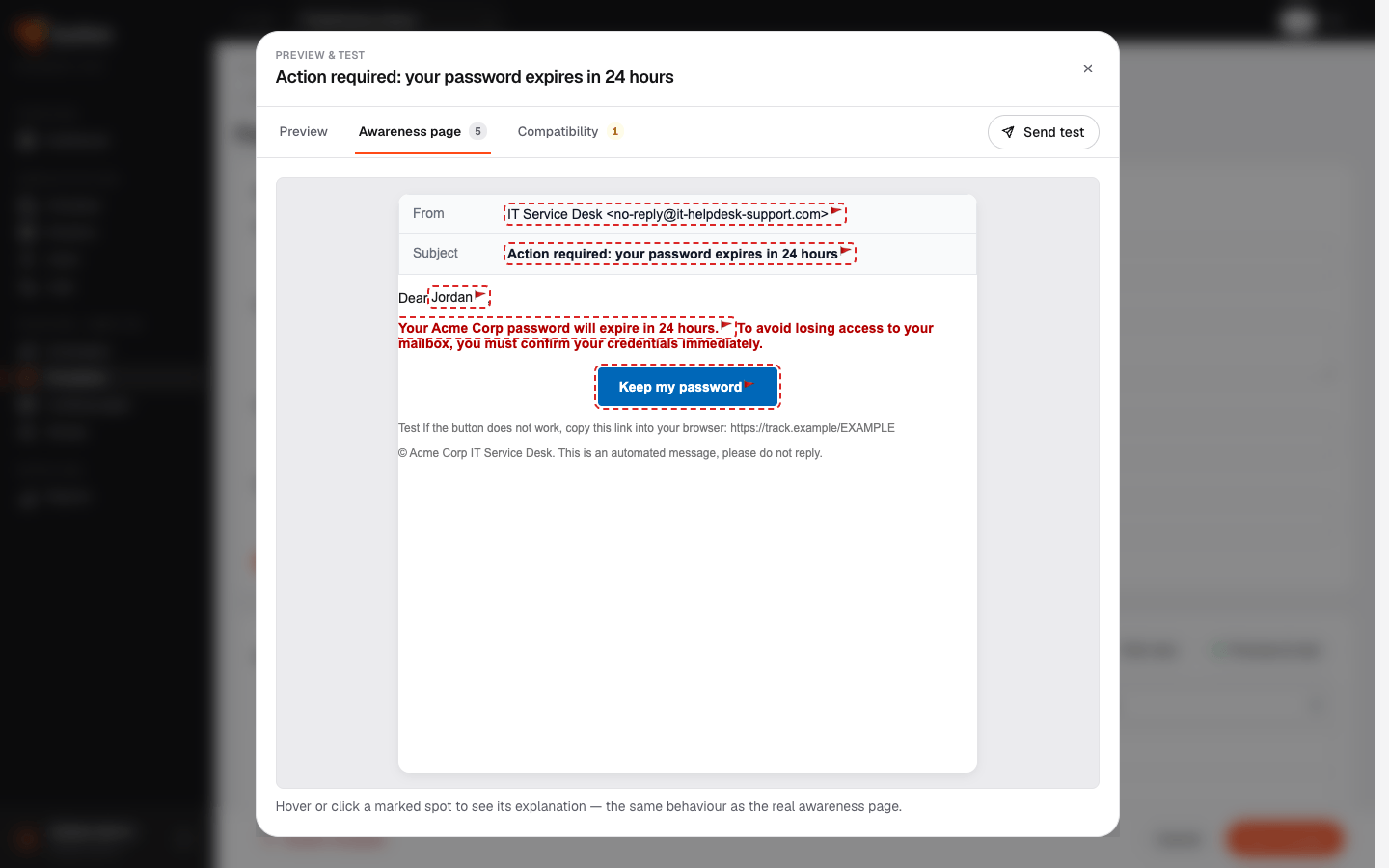
The phishing email, with its red flags marked.
- 03
Landing page
Where the link leads: an awareness page or a sign-in form.
- 04
Group
Recipients, imported from CSV or added by hand.
- 05
Campaign
A four-step wizard, mails spread across a send window.
- 06
Report
Live results and a customer report as HTML, PDF or CSV.
Templates
Every click turns into a lesson
Mark the deceptive details of an email as red flags while you write it. When someone clicks, the awareness page shows them the same email with each flag highlighted and explained.
- Visual and HTML editing, with variables such as {{firstname}} and {{company}}
- Preview as Desktop, Mobile and Outlook (classic)
- A compatibility score out of 100 before anything is sent
Dashboard
See what is sending right now
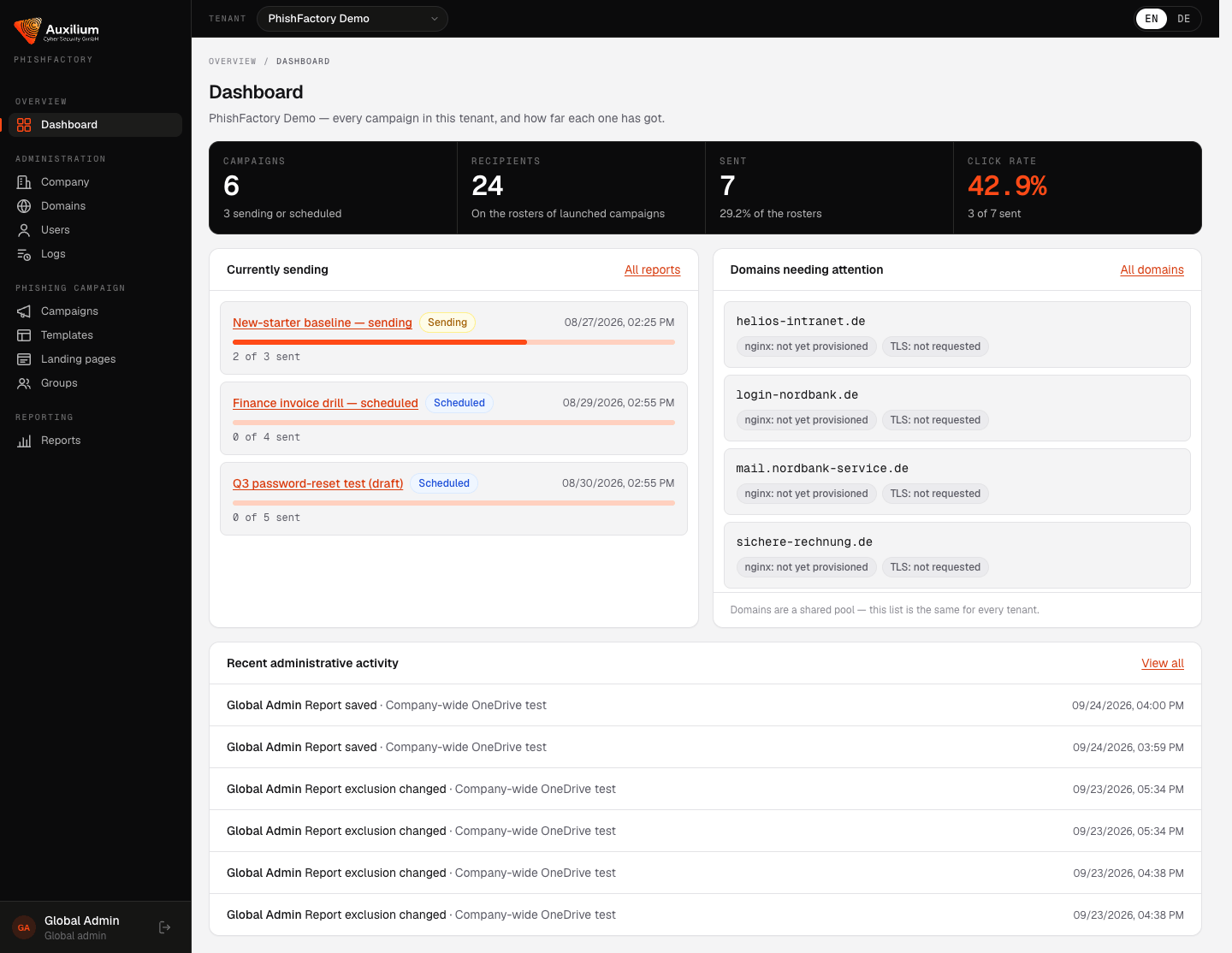
The dashboard shows live campaigns, the key figures for the customer you are working on, and any domain that still needs setting up.
- Send status per recipient, including delivery failures
- Start, cancel and repeat campaigns from the list
- CSV import for recipient groups
Customer report
A report management can act on
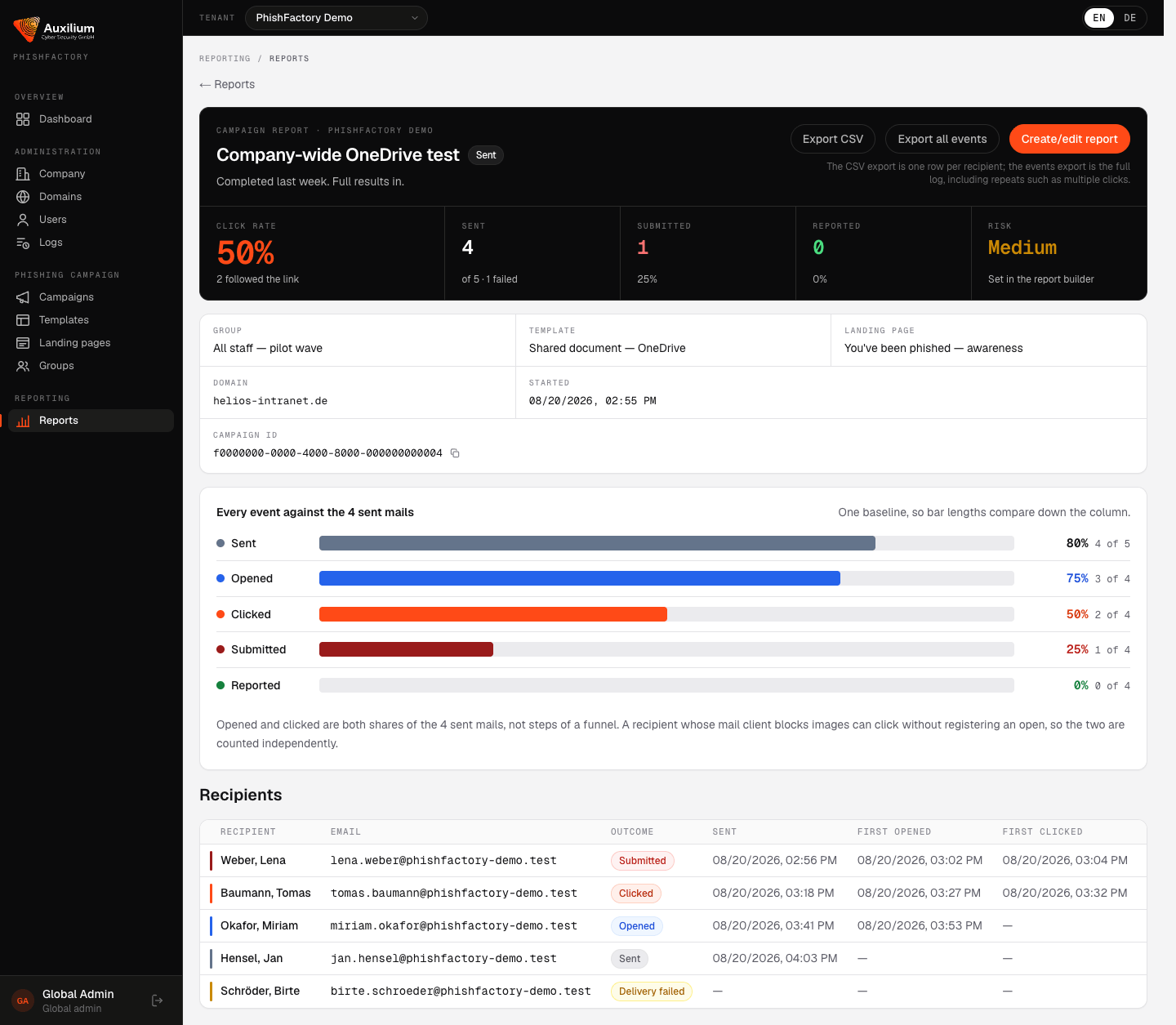
Every campaign has its own report with each recipient's outcome. The report builder turns it into a document for the customer.
- Download as HTML, PDF or CSV
- Exclude recipients and set the reporting period
- Full event log export for your own analysis
Controls
A security tool has to be secure itself.
What the platform does with your people's data, and who is allowed to touch it.
DATA-01
No passwords stored
Capture forms record that a submission happened. Whatever was typed into the password field is discarded.
ACCESS-01
Role-based access
Every account has exactly one role, from global admin to unit admin. The role decides which sections and actions are available.
TENANT-01
Separated customers
Each customer is its own tenant. Anything you create belongs to the tenant selected in the top bar.
AUDIT-01
Audit trail
Every administrative change is logged with who made it, when, and what changed.
AUTH-01
No self-service sign-up
Accounts are created by an administrator. Passwords have at least 12 characters, and deactivated accounts cannot sign in.
SEND-01
Controlled sending
Campaigns stay a draft until you press Start. Mails go out evenly across the send window and can be cancelled at any time.
Who it's for
Run it yourself, or let us run it for you.
Companies
Your own awareness programme
Run campaigns for your own staff, measure the results over time and give management a report it can act on.
Managed service
We run the campaigns
Auxilium plans and runs the campaigns and builds the custom landing pages. You receive the finished report.
Partners & MSSPs
One portal, many customers
Switch between customer tenants from the top bar, with roles that decide who sees what.
Contact
See PhishFactory with your own templates.
A 30-minute demo in the live portal, in English or German.